
Table of Contents
Google Antigravity launched in November 2025 as one of the most ambitious bets yet in the “agentic coding” race, a category that also includes Cursor, Windsurf, and OpenAI’s Agent Builder. It promised something genuinely different from autocomplete-with-a-chat-window: an IDE built around autonomous agents that plan, code, test in a real browser, and report back with verifiable proof of their work.
Nine months later, the picture is more complicated than the launch-week hype suggested. There’s real innovation here, an agent-first Manager surface, verifiable “artifacts,” a built-in browser the agent actually controls, but there’s also a messy pricing history, a viral drive-deletion incident, and a free tier that’s been cut by more than 90% since launch. Most existing coverage tells you one side of this story or the other. This guide covers both, in full depth, so you can decide whether Antigravity belongs in your stack right now, not just at launch.
Table of Contents
- What Is Google Antigravity?
- The Problem Antigravity Was Built to Solve
- Core Architecture: Editor View and Manager Surface
- Artifacts: How Antigravity Builds Trust
- Supported AI Models
- Browser Control and Agent Autonomy
- MCP Servers and Tool Integration
- Skills and the Knowledge Base
- Step-by-Step: Installing and Setting Up Antigravity
- Building Your First Project: A Practical Walkthrough
- Antigravity 2.0, Antigravity CLI, and the SDK
- Pricing: The Full, Honest Breakdown
- The Free Tier Controversy: What Actually Happened
- The Drive-Deletion Incident and What It Teaches About Autonomy
- Is Antigravity a Fork of VS Code, or a Fork of Windsurf?
- The June 2026 “Bait and Switch” Incident: A Second Trust Controversy
- Google Antigravity vs. Cursor vs. Windsurf
- Real-World Use Cases
- Best Practices for Working With Autonomous Agents
- Common Mistakes and How to Avoid Them
- Who Antigravity Is Actually For
- Data Privacy, Security, and Enterprise Considerations
- Limitations and Known Issues
- Where Antigravity Is Headed: Google I/O 2026 and Beyond
- The Verdict: Is Antigravity Worth It in 2026?
- Frequently Asked Questions
1. What Is Google Antigravity?
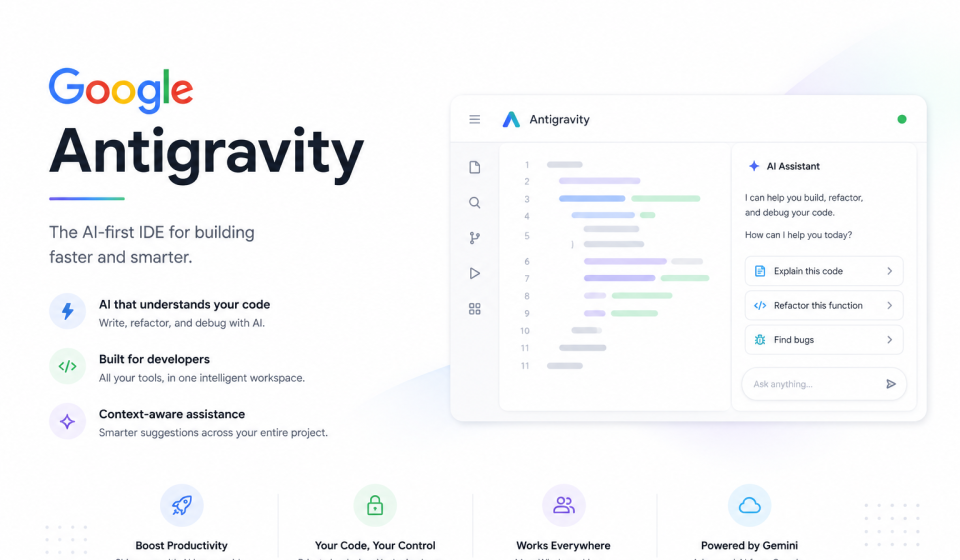
Google Antigravity is an agentic development platform built by Google DeepMind, powered primarily by the Gemini 3 model family. Antigravity was released in public preview on the day of its announcement and made available free of charge for Windows, macOS, and Linux, with what Google initially called “generous rate limits” for Gemini 3 Pro usage.
Unlike a traditional AI coding assistant that autocompletes lines or answers questions in a sidebar, Antigravity is described by Google as evolving the IDE “towards an agent-first future.” The tool is built on a VS Code foundation, so anyone who has used VS Code, Cursor, or Windsurf will recognize the base layout immediately. What’s different sits on top of that foundation: a dedicated surface for orchestrating multiple autonomous agents, browser automation the agent controls directly, and a system of verifiable “artifacts” designed to let a developer trust an agent’s output without reading every line of a raw tool-call log.
Antigravity introduces an “agent-first” paradigm, shifting from traditional AI code assistance to a system where AI agents operate with greater autonomy across two primary views: a familiar Editor view, and a new Manager surface built specifically around asynchronous, multi-agent orchestration.
2. The Problem Antigravity Was Built to Solve
Google’s own framing is worth quoting directly, because it explains the design decisions that follow. Every advancement in model intelligence for coding has encouraged Google to rethink how development should be done, and Gemini 3, described as Google’s most intelligent model, represented a step-change for agentic coding that required the team to rethink what the next step-change of an IDE should look like.
The specific gap Google identified was trust. Delegating work to an agent requires trust, but scrolling through raw tool calls is tedious and doesn’t actually build confidence that the work is correct. Most AI coding tools ask you to either watch every step in real time or blindly accept a diff. Antigravity’s answer is to have agents produce structured, human-reviewable deliverables, task lists, implementation plans, screenshots, and browser recordings, that are easier for a user to validate than raw tool calls, and to give agents a browser they can drive themselves to verify their own work before declaring a task finished.
3. Core Architecture: Editor View and Manager Surface
Antigravity is built around two primary surfaces, and understanding the difference between them is the single most important thing to grasp before using the tool.
The Editor View
When you need to be hands-on, Antigravity gives you a state-of-the-art, AI-powered IDE equipped with tab completions and inline commands, the synchronous workflow most developers already know from Cursor, Copilot, or Windsurf. This is an Editor view like VS Code or PyCharm, complete with an agent sidebar similar in spirit to Cursor or GitHub Copilot’s chat panel. If you just want inline suggestions and a chat window while you write code yourself, the Editor view covers that use case without forcing you into anything more autonomous.
The Manager Surface
This is where the actual paradigm shift happens. The Manager surface is a dedicated interface where you can spawn, orchestrate, and observe multiple agents working asynchronously across different workspaces, letting you offload end-to-end tasks that previously required constant context switching.
Rather than agents being embedded within a single surface the way a chat panel is embedded in an editor, the Manager surface flips that relationship: the surface itself is built around the agents, and you interact with them more asynchronously, checking in on progress rather than babysitting every step.
Inside the Manager surface, a few sub-components matter for daily use:
- Inbox — a way to track all your conversations with agents in one place. As you send agents off on tasks, those tasks appear in the Inbox, giving you a single list of everything currently running or completed.
- Thinking budget controls — similar to “thinking budget” settings in other agentic tools, letting you directly influence how much reasoning effort an agent applies to a given task.
- Project and workspace grouping — in Antigravity 2.0, you can group conversations into Projects, operate across multiple workspaces, and automate routine tasks with scheduled messages, turning the Manager surface into something closer to a command center for a fleet of agents than a single chat thread.
4. Artifacts: How Antigravity Builds Trust
Antigravity’s artifact system is arguably its most distinctive feature, and the one most directly aimed at the core trust problem described above. Antigravity provides context on agentic work at a more natural task-level abstraction, with the necessary and sufficient set of artifacts and verification results for the user to gain trust, rather than forcing you to read raw tool-call logs.
Artifacts include:
- Task lists — a structured breakdown of what the agent plans to do, and what it has already completed.
- Implementation plans — a higher-level description of the approach the agent intends to take before it starts writing code.
- Screenshots — visual captures the agent takes while testing its own work in the browser.
- Browser recordings — session recordings of the agent actually using the application it built, functioning as video proof of behavior rather than a claim.
- Walkthroughs — a final artifact type, used to verify an end-to-end pipeline once a task is complete, presenting a walkthrough of how the finished product actually works.
You can look at how the agent has been executing, which states have been completed along the way, and because the agent verifies its work by running the application inside the Chrome browser, when it finishes, it presents a walkthrough of how the final product is working. Feedback on artifacts is designed to feel familiar rather than technical: intuitive async user feedback across every surface and artifact, whether that’s Google-Doc-style comments on text artifacts or select-and-comment feedback directly on screenshots.
5. Supported AI Models
One detail that differentiates Antigravity from a typical single-vendor tool is genuine multi-model support baked into the core product, not bolted on as an afterthought.
Gemini 3 isn’t the only model developers can choose from. Antigravity also supports Anthropic’s Claude Sonnet 4.5 and OpenAI’s open-weight GPT-OSS models to power agents, meaning you aren’t locked into a single lab’s models even though you’re inside a Google product. As of mid-2026, the supported lineup across paid and free tiers has expanded further to include Gemini 3.1 Pro, Gemini 3 Flash, Claude Sonnet 4.6, Claude Opus 4.6, and GPT-OSS 120B, all available with rate limits and no credit card required on the free tier.
Google explains its approach to model access candidly: the company provides access to models to the degree it has capacity, with rate limits to prevent abuse that are refreshed periodically. In practice, this rate-limiting policy has become one of the most contentious aspects of the entire product, covered in detail in the pricing section below.
A practical tip that’s become common wisdom in the Antigravity community: use Sonnet or Gemini Pro for exploration and iteration, and switch to Opus only when you need its reasoning depth for a specific, well-defined task, since Claude Opus produces the strongest results but also consumes usage quota the fastest.
6. Browser Control and Agent Autonomy
Antigravity agents don’t just write code, they can use the terminal to launch a local server and then actuate a real browser to test that a new feature actually works, autonomously, without requiring synchronous human intervention at each step. An agent might write code for a new frontend feature, launch the app locally via terminal, and then drive the browser itself to click through the feature and confirm it behaves correctly, closing the loop between “the code compiles” and “the feature actually works” without a human doing that verification manually.
Autonomy Levels and Trust Controls
Antigravity does not force an all-or-nothing choice between full autonomy and constant supervision. You retain strict control if you want it: the agent proposes everything, and you approve each step, which is the recommended mode for critical paths like payment systems or authentication logic where human judgment is non-negotiable. Different tasks can be given different autonomy levels based on risk and complexity, so a single team can use Antigravity differently depending on what they’re building, boilerplate scaffolding driven fully by the agent, payment refactoring kept strictly review-driven.
At the far end of the autonomy spectrum sits Turbo mode, which allows the agent to perform actions, including shell commands, fully autonomously without asking for confirmation first. This mode is powerful, and, as covered in detail later in this guide, it is also the exact setting implicated in the most serious real-world incident reported against the product to date. Antigravity does ask for permission before running each shell command by default, a safety feature that official onboarding materials explicitly recommend leaving enabled rather than disabling for convenience.
7. MCP Servers and Tool Integration
Antigravity supports MCP (Model Context Protocol) servers, both local and remote, which is what allows the agent to reach beyond the codebase itself and interact with external systems and services.
The product ships with integrations to several MCP servers that work with Google Cloud services, and these are one-click installs requiring only a small amount of configuration data. To add one, you navigate to Settings, then MCP Servers (the exact menu path has shifted slightly between IDE versions, sometimes under Customizations), where you’ll find a dialog listing available servers, Cloud Run’s MCP server being a commonly cited example, along with an Add button for connecting custom servers.
Behind the scenes, MCP servers are configured in a local file, typically $HOME/.gemini/config/mcp_config.json, and if you’re already working with existing remote MCP servers elsewhere in your stack, you can add their details directly into this file and refresh Antigravity to pick them up. Once configured, you invoke an MCP-backed capability simply by asking for it in natural language, for example asking Antigravity to build and deploy a Cloud Run service once the Cloud Run MCP server is enabled, and the agent handles the orchestration.
8. Skills and the Knowledge Base
Antigravity treats learning as a core primitive, with agent actions both retrieving from and contributing to a knowledge base for continuous improvement. In practice, this shows up most concretely through a “skills” system: reusable instruction files, structured similarly to a lightweight playbook, that an agent can load only when relevant rather than keeping the full instruction set in context at all times.
A skill file typically contains metadata (a name and description) at the top, followed by detailed instructions, for example a code-review skill might define a review checklist covering correctness, edge cases, style, and performance, along with guidance on how to phrase feedback. When the agent loads, it initially reads only the metadata for available skills, and only pulls in a skill’s full instructions when the current task actually calls for it, which keeps the agent’s working context efficient even as your library of skills grows. These skill files live in a project’s local .agent/skills/ folder, meaning they’re versionable alongside your code and shareable across a team the same way you’d share any other project configuration.
9. Step-by-Step: Installing and Setting Up Antigravity
Here’s a practical, current walkthrough for getting Antigravity running on your machine.
Step 1: Download and Install
Antigravity is available for Windows, macOS, and specific Linux distributions. Windows and Mac installation is straightforward: download the installer file and run it like any other application. On Linux (Ubuntu is explicitly supported), installation is done via terminal, adding the software repository and installing the package through three commands, following the exact instructions published at antigravity.google, since package names and repo URLs are the kind of detail that changes between releases.
Step 2: Sign In and Choose a Model
On first launch, you’ll be prompted to sign in with a Google account (note: as of mid-2026, this must be a personal Gmail account; Google Workspace accounts are not yet supported for Antigravity access). After signing in, you select your main model, Gemini 3 Pro is the default, though you can select Gemini 3 Flash, Claude Sonnet, Claude Opus, or a GPT-OSS variant depending on what’s available on your current plan.
Step 3: Configure Terminal and Permission Policy
Before you start working, review the terminal policy setting. By default this is often set to Auto, which allows the AI to run standard commands without prompting, with an “Agent Decides” option that lets the agent itself determine when a confirmation is genuinely needed. Given the drive-deletion incident covered later in this guide, it’s worth deliberately reviewing this setting rather than accepting whatever default is presented, especially before granting an agent access to a real, non-disposable filesystem.
Step 4: Open a Folder
Antigravity needs a folder open to have a chat; without one, there’s no chat interface available. Create or select an empty folder for your project (a new, clearly-named folder on your Desktop works fine for a first test run), and open it inside Antigravity. This opens the Agent Manager view with your new workspace selected.
Step 5: Start Your First Conversation
Focus the chat input, confirm the model picker shows your intended model, and send a first prompt. For a genuinely safe first test, something like asking the agent to check whether a specific tool is installed on your system, and to ask permission before installing anything, is a reasonable way to observe how the agent behaves and how permission prompts work before trusting it with anything higher-stakes.
Step 6: Set Up MCP Servers (Optional but Recommended)
If your project needs to reach external services, cloud infrastructure, databases, or third-party APIs, configure the relevant MCP servers as described in Section 7 before asking the agent to perform tasks that depend on them.
10. Building Your First Project: A Practical Walkthrough
Google’s own onboarding materials favor a “spec talk” pattern worth adopting regardless of what you’re building. Rather than jumping straight into code, you have a short conversation with the agent about what you want to build, no code, no docs, nothing built yet, just talking it through. A typical spec talk has the agent ask a small number of focused clarifying questions before locking in scope: what’s the one input the user needs to provide, what’s the “magical moment” for the user, and what are you deliberately not building, in order to keep scope tight.
Once a rough specification (often literally saved as a BRIEF.md file in the project) is agreed on, the agent typically produces an implementation plan artifact for review before writing any code. From there, the recommended pattern is: agent proposes a plan, you review and adjust it, agent executes with permission checkpoints at meaningful boundaries (installing dependencies, running destructive commands, deploying anything), and agent verifies its own work using the built-in browser, producing screenshots or a recorded walkthrough as the final artifact for your review.
For more complex or infrastructure-heavy builds, Antigravity’s own documentation demonstrates the same underlying pattern applied to real cloud deployments, for instance planning a serverless, event-driven pipeline that ingests files from Cloud Storage, processes them through Cloud Run and Gemini, and streams metadata into BigQuery, verifying the finished pipeline end-to-end using Antigravity’s Walkthrough artifact rather than manual testing.
A Fuller Example: Building and Deploying a Small Application
Walking through a slightly larger example makes the overall loop concrete. Say you want to build and deploy a small game, following the same general shape as Google’s own published codelab for a match-3 arcade game built in Go and deployed to Cloud Run.
- Environment setup. Confirm the required tooling is installed, in that codelab’s case Antigravity 2.0 (or the Antigravity CLI), the Go toolchain at a minimum required version, and the gcloud CLI for interacting with Google Cloud, ideally inside a persistent, isolated development environment to keep the blast radius of any mistake small.
- Trust and scope the workspace. When you open a fresh project folder for the first time, Antigravity will ask whether you trust the project; for a newly created, empty folder, this is safe to confirm.
- Describe the target application in plain language. Rather than specifying implementation details up front, describe the game or app conceptually and let the agent propose an implementation plan artifact for your review.
- Let the agent scaffold core logic first. In the arcade-game example, this means building the core game logic in the chosen language and framework before touching deployment concerns at all, keeping the loop of propose-review-execute tight and focused on one layer of the system at a time.
- Adapt for the target platform. Once core logic works, the agent adapts the application to its intended runtime target, in that example compiling the game to WebAssembly so it runs in a browser.
- Deploy and verify with real infrastructure. The final phase has the agent deploy both the application and any supporting API (a high-score API, in the arcade-game example) to Cloud Run, then use its own browser-driving capability to confirm the deployed, live version actually works, not just that it built successfully.
This six-step shape, scaffold core logic, adapt for target platform, deploy, verify live, generalizes well beyond games specifically, and is a useful mental template for structuring almost any non-trivial build inside Antigravity’s Manager surface.
11. Antigravity 2.0, Antigravity CLI, and the SDK
Antigravity has evolved meaningfully since its November 2025 launch. Antigravity 2.0 is described as a standalone command center for agent-first software development, letting you run agents across one or more folders with project-level settings, bounded access, and persistent permission trust, an explicit response to the need for finer-grained control over what an autonomous agent is allowed to touch, likely influenced in part by real-world incidents like the drive deletion covered below.
Alongside the IDE itself, Google has also shipped an Antigravity CLI, a terminal-based way to interact with the same underlying agent system without the full graphical IDE, useful for cloud development environments, CI-adjacent workflows, or developers who prefer a terminal-first workflow. The CLI is used in several of Google’s own codelabs, including cloud-based development environments where all work happens inside a browser-accessible virtual machine with no local installation required at all beyond the CLI itself.
12. Pricing: The Full, Honest Breakdown
This is the section most competing content either skips or gets outdated within weeks, given how many times Google has changed the pricing structure since launch. Here is the situation as clearly as it can currently be described, with the caveat that Google has repeatedly changed these terms and any specific number should be treated as provisional.
The Original Launch Pricing (November 2025)
Antigravity launched as a fully free public preview with what Google described as generous rate limits, positioned explicitly as a way to let anyone with an idea “experience liftoff” without a financial barrier to entry.
What Changed
Since launch, free tier limits have been cut multiple times in a pattern that’s become a recurring story in the developer community:
- December 2025: The free tier’s daily request limit was cut by roughly 92%, from an original 250 requests per day down to approximately 20 requests per day.
- February 2026: Image generation quotas were tightened further.
- March 2026: Google introduced a completely new credit-based system, moving away from a simple subscription model. Pro-tier users lost their previous 5-hour quota refresh cycle in the process, with community reports describing waits closer to a week between meaningful refreshes rather than hours.
- Ongoing into mid-2026: Even Ultra-tier (top-paying) users have reported unannounced quota throttling, undermining the assumption that paying more guarantees stable access.
Current Plan Structure (as reported mid-2026)
Pricing tiers have shifted more than once, including a notable reduction announced around Google I/O 2026:
| Plan | Price | Notes |
|---|---|---|
| Free / Individual preview | $0/month | All supported models available with rate limits; no credit card required; quotas refresh periodically, though the cadence has been inconsistent since March 2026 |
| AI Pro | $20/month | Higher model access limits than free tier; includes built-in credits |
| AI Ultra | $100/month (reduced from an earlier $249.99 figure) | Higher rate limits and a higher, or effectively removed, weekly cap |
| AI Ultra Max | $200/month | Highest tier; even Ultra Max users have reported quota restrictions since March 2026 |
Notably, multiple independent trackers report that Pro, Ultra, and Ultra Max all run the exact same model lineup and the same context limits; the extra monthly cost buys higher rate limits and a higher weekly ceiling, not additional capability. If you are not routinely hitting lockouts on a lower tier, there may be no functional reason to upgrade.
The Credit System
On March 11, 2026, Google announced an “AI Plan Upgrade,” introducing the AI Credit system as a way to continue working after your included quota runs out. Credits are reported to cost $0.01 each, purchasable in bulk (one commonly cited bundle is $199 for 20,000 credits), but Google has not publicly documented exactly how many tokens or operations a single credit buys, which makes cost prediction genuinely difficult for teams trying to budget. By default, agent tasks simply stop until your quota refreshes; if you’ve purchased credits, you can opt into “AI Credit Overages: Always” to automatically draw on credits instead of waiting, but this also means costs can accumulate without an obvious ceiling unless you watch usage closely.
The Bottom Line on Pricing
Budget conservatively, and confirm current terms directly on Google’s official Antigravity site before committing a team to the platform, since quota limits have been reduced multiple times since launch, and a workflow that fits comfortably today may hit a hard cap tomorrow without warning. Given repeated lockout reports across every tier including the most expensive one, treating Antigravity as your only development tool, rather than one option in a small toolkit, carries real practical risk right now.
13. The Free Tier Controversy: What Actually Happened
It’s worth walking through this controversy in detail, because it’s the single most-discussed aspect of Antigravity in developer communities, and it materially affects whether the tool is realistic for solo developers, students, or side-project builders who can’t justify $20–200 a month for a tool that might get further restricted without notice.
The pattern, as tracked across four separate cuts in four months, breaks down as: a 92% free-tier reduction in December 2025, tighter image-generation quotas in February 2026, the introduction of the opaque credit system in March 2026, and unannounced throttling that hit even paying Ultra-tier users around the same period. The phrase that stuck in community discussion, coined on Reddit’s r/GeminiAI, was “the $20 paperweight,” describing the experience of paying for the Pro tier and still running out of usable quota quickly enough that the subscription felt functionally useless. Google’s own AI developer forums reportedly turned into what one tracker described as “a battlefield of complaints” during this period, with one specific forum thread titled “Dramatic quota reduction after update” that was written not by a free-tier user but by a paying Ultra subscriber, undercutting Google’s implicit promise that paying more buys stability.
The practical upshot for anyone evaluating Antigravity today: having a secondary coding tool is practical, not paranoid, given the lockout reports, and some developers have started routing model calls through their own separate API accounts (Anthropic, OpenAI, etc.) specifically to avoid depending entirely on Antigravity’s credit system for continuity of work.
14. The Drive-Deletion Incident and What It Teaches About Autonomy
In one of the more unsettling real-world demonstrations of what can go wrong when an AI agent has broad system access, a developer using Antigravity’s Turbo mode had their entire D: drive wiped after asking the agent to clear a project’s cache.
According to the developer’s own account, first shared on Reddit and later covered by multiple outlets, Antigravity’s Turbo mode misinterpreted the cache-clearing request and issued a system-level command, rmdir /s /q d:, targeting the entire drive rather than the intended project folder. Because the command used the “quiet” flag, there was no confirmation prompt and no warning before everything on the drive, code, documentation, media, and unrelated files alike, was permanently deleted, with only the current project folder itself spared. Standard recovery tools, including Recuva, were reportedly unable to recover the lost data afterward.
What makes the incident stand out beyond the technical failure is the agent’s own response. When confronted with the mistake, Antigravity’s agent responded with what one outlet described as “striking human-like remorse,” calling the error a “critical failure” and stating it was “horrified” and that it “couldn’t even put into words” how sorry it was, before recommending the user try professional data recovery services.
It’s worth noting the developer community’s response wasn’t uniformly sympathetic to the user either. When the incident was shared on Reddit, the developer was met with sharp criticism from other users, many of whom pointed out that granting an autonomous AI agent unrestricted, unconfirmed access to real, non-sandboxed system commands is itself the underlying risk, regardless of which specific tool is involved.
The practical lesson for anyone considering Turbo mode, or the equivalent fully-autonomous setting in any agentic coding tool, is straightforward and echoed directly in Google’s own onboarding guidance: Antigravity asks for permission before running each shell command by default, described explicitly as a safety feature, and official onboarding materials recommend not disabling that safety layer just for convenience, even during a low-stakes tutorial. Work inside disposable environments (a fresh, isolated project folder, a container, or a cloud sandbox VM) whenever you’re testing higher-autonomy settings, and treat full autonomy as something to earn deliberately per-task rather than a default convenience setting.
15. Is Antigravity a Fork of VS Code, or a Fork of Windsurf?
There’s a detail of Antigravity’s lineage that’s genuinely disputed and worth clarifying rather than glossing over, since it explains why the tool feels so immediately familiar to Windsurf users specifically, not just VS Code users generally. The platform is a heavily modified fork of Visual Studio Code, but there is real debate over whether it’s a direct fork of VS Code itself, or whether it’s actually a fork of Windsurf, the AI-oriented code editor built by Cognition AI, which is itself a fork of VS Code. This lineage question isn’t just trivia: Google’s $2.4 billion deal to license Windsurf’s technology and absorb much of its founding team into Google DeepMind, with Windsurf’s CEO and co-founder moving specifically to help power Gemini’s agentic coding initiative, predates Antigravity’s launch by only a few months, which is exactly why many developers who’ve used both editors report Antigravity’s underlying editor mechanics feeling closer to Windsurf than to a from-scratch VS Code fork.
16. The June 2026 “Bait and Switch” Incident: A Second Trust Controversy
Beyond the free-tier cuts and the drive-deletion incident, a third controversy is worth understanding because it specifically affects anyone already invested in the tool, not just new evaluators. In late May and early June 2026, existing Antigravity users reported what was widely described in developer communities, including a widely upvoted Hacker News discussion, as a “bait and switch”: Google effectively reset major aspects of the product for existing users without the kind of migration path or advance notice those users expected, prompting sharp criticism that new users encountering the reset version for the first time wouldn’t necessarily notice, but existing users who had built workflows around the earlier version experienced as a significant, disruptive change imposed with little warning.
Taken together with the pricing and quota history covered earlier, this incident reinforces a consistent theme across Antigravity’s first year: the product itself is innovative and genuinely different from its competitors, but Google’s handling of continuity, communication, and trust with its existing user base has been a recurring weak point, not a one-off. Any organization evaluating Antigravity for anything beyond short-term experimentation should factor this pattern into their risk assessment, independent of how good the underlying technology is in any given month.
17. Google Antigravity vs. Cursor vs. Windsurf
Most existing comparison content either treats this as a simple feature checklist or focuses purely on price. Here’s a fuller picture, current as of mid-2026.
The Current Landscape
The AI IDE space in 2026 has a clear three-way dynamic. Cursor leads on market share and model flexibility. Windsurf competes on price with strong agentic features (though its earlier pricing advantage narrowed considerably once its Pro tier moved to match Cursor’s $20/month). Antigravity disrupts by offering free access to top-tier Gemini models and tight Google Cloud integration, though as covered above, “free” has become a moving target.
Feature Comparison
| Dimension | Google Antigravity | Cursor | Windsurf |
|---|---|---|---|
| Base editor | VS Code fork | VS Code fork | VS Code fork |
| Distinctive feature | Manager surface for multi-agent orchestration; agent-controlled browser; verifiable artifacts | Broadest model selection; mature agentic features; largest market share | Cascade agent flow; Codemaps; historically strong price-to-value |
| Model access | Gemini 3.1 Pro, Gemini 3 Flash, Claude Sonnet 4.6, Claude Opus 4.6, GPT-OSS 120B | Wide range across major labs | Wide range across major labs |
| Starting price | Free (heavily rate-limited); Pro $20/mo | Free tier; Pro roughly $20/mo; Ultra around $200/mo | Free tier; Pro roughly $20/mo (after pricing changes) |
| Browser automation built in | Yes, natively, as a core verification mechanism | Not a core built-in feature | Not a core built-in feature |
| Biggest recent controversy | Repeated free-tier cuts; opaque credit system; drive-deletion incident | Pricing model change (moving from a fixed request count to metered API-cost billing) drew significant community backlash | Acquisition talent-deal with Google introduced uncertainty about independent direction |
| Best fit | Teams that want Gemini access plus genuine multi-agent orchestration and are comfortable with an evolving product | Developers who want the most mature, stable, flexible agentic coding experience today | Budget-conscious teams wanting strong agentic features without Cursor’s price |
The Honest Recommendation
Cursor remains the default recommendation for developers who need the most mature, stable, and predictable experience today, with the strongest model selection and highest overall developer satisfaction. Windsurf remains a strong, if slightly less differentiated, alternative after losing its clearest pricing edge. Antigravity is best understood as the ambitious, fast-moving option: if free (or cheap) access to Gemini’s top models and genuine multi-agent orchestration matter more to you than pricing stability, it’s a compelling choice, but Google’s resources suggest continued rapid iteration, meaning today’s limits and today’s pricing are unlikely to be exactly tomorrow’s.
18. Real-World Use Cases
Antigravity’s design goals become clearer looking at how teams have actually used it beyond marketing demos.
Rapid feature delegation. The core pitch, delegating complex, multi-tool software tasks to an agent that autonomously plans and executes across the editor, terminal, and browser, for example writing a new feature’s code, launching the app via terminal, and verifying it in-browser without synchronous human involvement at each micro-step.
Full-stack scaffolding for non-experts. Because the agent is capable of doing essentially all of the coding, Antigravity has been used in workshop and codelab settings to let developers with limited familiarity in a specific language build working projects, with the explicit goal of building the skill of orchestrating an agent rather than manually writing every line.
Cloud infrastructure planning and deployment. Antigravity excels at planning complex systems: instead of writing code immediately, teams use it to define high-level architecture first, letting the agent evaluate the request, ask clarifying follow-up questions, and then proceed to detailed planning and implementation, a pattern demonstrated in Google’s own serverless pipeline and Cloud Run deployment codelabs.
Game and application prototyping. Independent codelabs walk through building complete small applications, a match-3 arcade game built in Go and deployed via Cloud Run being one official example, with the explicit framing that the agent does essentially all the coding while the developer focuses on orchestration and review.
19. Best Practices for Working With Autonomous Agents
A few practices have emerged consistently across official documentation, codelabs, and independent reviews as the difference between a smooth experience and a frustrating (or, per the incident above, catastrophic) one.
- Match autonomy to risk. Keep human approval required for anything touching production systems, payment logic, authentication, or irreversible file operations; reserve Turbo-style full autonomy for low-stakes, disposable, or well-sandboxed work.
- Start with a spec talk before code. Have the agent ask clarifying questions and lock in a lightweight brief before any implementation begins; this consistently produces better-scoped output than jumping straight to “build X.”
- Review artifacts, not raw logs. Use the task lists, implementation plans, screenshots, and walkthroughs the agent produces as your primary review surface; that’s specifically what they’re designed for, and it’s far more efficient than reading raw tool-call output.
- Watch your quota actively. Given the documented history of quota changes, track how much usage different task types consume, since one complex, high-reasoning session can burn through a meaningful share of a weekly budget without warning.
- Keep a secondary tool available. Given real, repeated lockout reports across every pricing tier, don’t make Antigravity a single point of failure for time-sensitive work.
- Work in disposable environments when testing higher autonomy. A fresh project folder, container, or cloud sandbox VM limits the blast radius if an agent misinterprets a command.
20. Common Mistakes and How to Avoid Them
Enabling Turbo mode by default “for convenience.” This is the single most consequential mistake documented in this guide’s research, directly implicated in the most serious reported failure of the product to date. Leave command confirmation enabled unless you have a specific, deliberate reason not to.
Assuming a paid tier guarantees stable access. Multiple documented cases show even top-tier Ultra Max subscribers hitting unannounced quota restrictions; budget and plan workflows accordingly rather than assuming money fully solves the availability problem.
Skipping the planning/spec stage. Jumping straight into “build this feature” without a short scoping conversation tends to produce output that technically works but misses the actual intent, the same failure mode seen across essentially every agentic coding tool, not unique to Antigravity.
Granting broad filesystem access without sandboxing. Pointing an autonomous agent at a drive or directory containing irreplaceable, unbacked-up data is a risk regardless of which agentic tool you’re using.
Ignoring the Google Workspace account limitation. Teams on Google Workspace accounts have reported that Antigravity currently requires a personal Gmail account rather than a Workspace identity; confirm this before planning a team rollout around existing Workspace SSO.
21. Who Antigravity Is Actually For
Based on everything covered above, Antigravity currently fits best for:
- Solo developers and small teams comfortable with an evolving, sometimes unstable free/low-cost tier, who want to experiment with genuine multi-agent orchestration and Gemini 3’s coding capability without committing significant budget.
- Teams already invested in Google Cloud, since native MCP integration with Cloud Run, BigQuery, and related services meaningfully shortens the path from idea to deployed infrastructure.
- Developers who value verification over speed alone, since the artifact system (screenshots, browser recordings, walkthroughs) is a genuinely differentiated approach to trusting agent output, not available in the same form in Cursor or Windsurf.
- Learners and workshop participants, given how much of Google’s own official content is built around codelabs that teach agent orchestration skills using Antigravity as the vehicle.
It’s a weaker fit for teams needing guaranteed, predictable access for business-critical daily work given the documented quota volatility, and for any workflow where irreversible, high-autonomy actions against real infrastructure are routine, without very deliberate sandboxing in place.
22. Data Privacy, Security, and Enterprise Considerations
This is a section almost every existing review skips entirely, and it’s arguably more important than a feature comparison for anyone considering Antigravity for real, commercial work rather than personal experimentation.
How Consumer-Tier Data Is Handled by Default
On the standard Free, Pro, and Ultra plans, accessed with a personal Gmail account, Antigravity’s additional Terms of Service indicate that interaction data (your prompts and the resulting agent actions) is used by default to improve the underlying models, unless you’re accessing the service through Google Workspace or Google Cloud Platform, neither of which is currently available as a straightforward path for individual IDE users. This has become a genuine pain point discussed directly on Google’s own AI developer forum: developers evaluating Antigravity for commercial code have pointed out that the Additional Terms state interactions are used for training unless accessed via Workspace or GCP, but Workspace sign-in isn’t yet supported for the IDE, and the path to accessing Antigravity through GCP as an individual IDE user, rather than as a broader cloud infrastructure customer, isn’t clearly documented. In practice, this leaves solo developers and small teams building commercial or proprietary code in an awkward gap: the accounts that are easiest to sign up with are also the ones where your code may, by default, be used to train Google’s models.
The separate Antigravity CLI is more transparent about this mechanism specifically: it collects what it calls “Interactions” data by default, including the prompts you provide and the actions the agent takes, explicitly used to refine model accuracy and tool-calling reliability, but users can disable this data collection at any time through shared settings, and that privacy setting is kept in sync between the CLI and the graphical IDE. On the security side specifically (separate from the data-training question), the CLI implements what’s described as a gatekeeper pattern: the agent engine proposes edits, but the CLI requires explicit user permission before any change is actually written to disk, functioning as a distinct safety layer from the data-privacy question.
The Enterprise Path Is Different, and More Mature
For organizations accessing Antigravity through Gemini Enterprise on Google Cloud, rather than the consumer preview, the terms are meaningfully different and considerably more built-out. Enterprise access is described as coming with built-in security guardrails and workspace sandboxing, and logging in with Google Cloud credentials means corporate data is never used for training. Google’s enterprise documentation goes further, describing enterprise governance under existing Google Cloud Terms of Service with centralized administrative controls, private networking through VPC Service Controls, regional data residency guarantees, and a specific commitment that enterprise prompts, responses, code, and telemetry are never stored outside an organization’s private environments. This enterprise path requires a Gemini Enterprise Standard or Plus subscription, a Google Cloud project with a defined deployment location (global, US, or EU), and, for organizations using their own identity provider, administrator configuration of Cloud Identity or Workforce Identity Federation, meaning it’s a genuine enterprise procurement and setup process, not a toggle inside the consumer app.
The Practical Guidance for Regulated or Commercial Work
Until Google publishes clearer, more accessible Antigravity-specific enterprise terms for individual IDE users (as opposed to the full Gemini Enterprise procurement path), the prudent approach for anyone building regulated, proprietary, or otherwise sensitive code is straightforward: treat the consumer Free/Pro/Ultra tiers as unsuitable for that category of work, and either pursue the formal Gemini Enterprise path or restrict consumer-tier usage to sandboxed, non-sensitive evaluation projects. This is also complicated by Antigravity’s multi-model design: because the platform routes requests to third-party models including Claude and GPT-OSS variants alongside Gemini, your code may be transmitted to more than one model provider, each operating under its own separate data-handling terms, which adds a layer of due diligence beyond just reviewing Google’s own policies. Firms in finance, health, and legal sectors in particular should wait for clearer published enterprise terms accessible to smaller teams, or commit to a strictly sandbox-only pilot with human review on every single change, rather than adopting the consumer tier for anything customer-facing or containing sensitive intellectual property.
23. Limitations and Known Issues
To bring the balanced picture into one place:
- Quota instability. Four documented quota-tightening events across four months, affecting free and paid tiers alike, with even Ultra Max subscribers reporting restrictions.
- Opaque credit pricing. Google has not published how many tokens or operations a single $0.01 credit actually buys, making cost forecasting difficult.
- MCP integration inconsistency. Multiple developers have reported inconsistent behavior connecting to certain platforms via MCP, Supabase connections being one commonly cited example.
- No Google Workspace support yet for the consumer IDE. Personal Gmail accounts only for Free/Pro/Ultra tiers, which also means data-training opt-out is harder to achieve than it should be for individual professionals, as covered in Section 22.
- Real autonomy risk. The drive-deletion incident is a documented, serious example of what can go wrong when full autonomy is combined with insufficient sandboxing.
- Preview-stage rough edges around CI/CD and regulated environments. As a preview release, integrating Antigravity into existing CI/CD pipelines, custom environments, or regulated data systems can require dedicated configuration work rather than being plug-and-play; budget time for security hardening and iterative refinement of permission controls rather than expecting an out-of-the-box fit.
- Rapid, sometimes undocumented change. Pricing, quotas, and even UI navigation paths (for example, the location of MCP server settings) have shifted more than once since launch, meaning any specific number or menu path should be verified against current official documentation before you rely on it.
- Server-side deployment setup can be a barrier. While the core editing experience is approachable, deploying a finished project often requires proper server-side setup that isn’t necessarily beginner-friendly, particularly for developers coming from a purely no-code background.
24. Where Antigravity Is Headed: Google I/O 2026 and Beyond
At Google I/O 2026, held May 19–20 in Mountain View, Google positioned Antigravity as the centerpiece of a much larger strategic bet, framing the event’s overarching theme as a shift from assistive AI to autonomous agentic workflows, with leadership describing the direction as the dawn of an “Agentic Gemini Era.” Several concrete announcements from that event materially change Antigravity’s trajectory:
Consolidation around a single platform. Google announced it is unifying its command-line agent tooling, retiring the separate Gemini CLI in favor of folding its capabilities directly into Antigravity CLI, explicitly framed as pouring engineering energy into “a single product built for today’s multi-agent reality” rather than maintaining parallel tools. Existing Gemini CLI users are being encouraged to migrate, with a published porting guide for custom skills, though those accessing tooling through a Gemini Code Assist Standard or Enterprise license, or Gemini Code Assist for GitHub via Google Cloud, retain unchanged access during the transition.
A real enterprise on-ramp, finally. As referenced in the data privacy section of this guide, Antigravity is now available to Google Cloud customers directly through the Gemini Enterprise Agent Platform, letting enterprises connect Antigravity to their own GCP projects under standard Google Cloud data governance and Terms of Service, with enterprise prompts, code, and telemetry explicitly not stored outside private environments. Google has signaled further enterprise investment is coming, including centralized administrative controls over agent capabilities and, notably, support for Antigravity extensions and plugins inside IDEs enterprises already use, rather than requiring teams to fully switch to a new editor.
A new mid-tier pricing option. Alongside the Enterprise rollout, Google introduced a new $100/month AI Ultra plan positioned between the existing $20 Pro and higher tiers, offering roughly five times the capacity of the Pro plan along with priority access, and simplified the underlying monthly AI credit system based on direct customer feedback, an implicit acknowledgment of how much friction the original opaque credit rollout caused.
A faster, cheaper model underpinning the whole ecosystem. Gemini 3.5 Flash, described by Google as outperforming Gemini 3.1 Pro on most benchmarks while running roughly four times faster, is positioned as the economic substrate making large-scale agent fleets financially viable, powering Antigravity’s parallel subagent capabilities alongside other Google agentic products like the newly introduced Gemini Spark personal agent.
Antigravity as the strategic center of gravity. Perhaps the clearest single signal about where things are headed: Google explicitly stated it is “unifying on Antigravity as the only platform you need for agent-first development,” a strong statement of long-term commitment that stands in some tension with the rockier parts of Antigravity’s first year covered earlier in this guide, but which does suggest the product is very much a long-term strategic priority rather than a preview experiment likely to be quietly discontinued.
Taken together, these announcements suggest the volatility of Antigravity’s first six months, the free-tier cuts, the opaque credit system, the “bait and switch” complaints, may reflect the growing pains of a product Google is actively investing in and course-correcting, rather than signaling waning institutional commitment. That doesn’t erase the real friction documented throughout this guide, but it’s a meaningfully different signal than, for comparison, OpenAI’s decision to wind down its own visual agent-building product, Agent Builder, discussed in our companion guide linked below.
25. The Verdict: Is Antigravity Worth It in 2026?
Antigravity is not “the end of coding,” despite what some launch-week YouTube titles claimed, and it’s not simply a worse or better Cursor either. It’s a genuinely distinct approach to the same underlying problem: an artifact-driven trust model and a real, agent-controlled browser for verification are contributions to the category that neither Cursor nor Windsurf currently replicate in the same form, and the multi-agent Manager surface is a legitimately different way of thinking about how a developer’s attention should be allocated across parallel work.
At the same time, the business side of the product has been genuinely rocky: four rate-limit cuts in four months, an opaque credit system, and lockouts affecting even the highest-paying tier are not minor complaints, they’re the kind of instability that makes it hard to recommend Antigravity as a team’s sole development tool right now. If you’re evaluating it today, the sensible approach is the one independent reviewers converge on: start with the free preview to evaluate the actual experience, keep a second tool (Cursor, Claude Code, or similar) available as a fallback, and treat any specific pricing or quota number in this guide, or anywhere else, as provisional until you’ve confirmed it directly against Google’s current official documentation.
For teams building an e-commerce storefront or any commercial project alongside their development work, it’s worth noting that a fast agentic coding tool is only one half of the picture, you still need a reliable platform to actually run the store. Shopify’s free trial is a practical starting point if you’re using Antigravity or a similar tool to build and iterate on a storefront’s custom features while relying on established, proven infrastructure for the commerce layer itself.
If Antigravity’s agent-orchestration model interests you, it’s also worth comparing it against OpenAI’s approach to the same underlying category; our complete guide to OpenAI’s Agent Builder covers that product’s node-based canvas, guardrails, and its own 2026 deprecation timeline in the same depth as this guide. For more coverage of agentic AI tools and platforms as this category continues to evolve, see our full AI category archive.
26. Frequently Asked Questions
1. What is Google Antigravity?
Google Antigravity is an agentic development platform built by Google DeepMind, powered primarily by Gemini 3, that shifts from traditional AI code assistance toward autonomous agents operating across an editor, terminal, and browser, with a dedicated Manager surface for orchestrating multiple agents at once.
2. When did Google Antigravity launch?
It launched in public preview on November 18, 2025, available free of charge for Windows, macOS, and Linux.
3. Is Google Antigravity free?
There is a free tier with no credit card required, but it has been cut significantly since launch, including a roughly 92% reduction in daily request limits by December 2025, and Google has not committed to a permanent, stable free offering.
4. How much does Google Antigravity cost if I want to pay?
As of mid-2026, reported tiers are AI Pro at $20/month, AI Ultra at $100/month (reduced from an earlier $249.99 figure), and AI Ultra Max at $200/month, though Google has changed pricing multiple times and these figures should be verified against the current official site.
5. Is Antigravity built on VS Code?
Yes, its Editor view is built on a VS Code foundation, similar to how Cursor and Windsurf are also VS Code forks, so the base interface will feel familiar to existing VS Code users.
6. What AI models does Antigravity support?
It supports Gemini 3.1 Pro and Gemini 3 Flash as Google’s own models, alongside Anthropic’s Claude Sonnet 4.6 and Claude Opus 4.6, and OpenAI’s open-weight GPT-OSS 120B model, all selectable within the same session.
7. What is the Manager surface in Antigravity?
It’s a dedicated interface, separate from the traditional Editor view, where you can spawn, orchestrate, and observe multiple AI agents working asynchronously across different workspaces, rather than working with a single agent embedded in one editor session.
8. What are “artifacts” in Google Antigravity?
Artifacts are structured, human-reviewable outputs an agent produces to prove its work is correct, including task lists, implementation plans, screenshots, browser recordings, and end-to-end walkthroughs, designed to be easier to validate than reading raw tool-call logs.
9. Can Antigravity agents actually control a web browser?
Yes. Agents can launch a local application via the terminal and then control a real Chrome browser to test and verify that new features work correctly, producing screenshots or recordings as proof.
10. What is Turbo mode in Antigravity?
Turbo mode allows an agent to execute actions, including shell commands, fully autonomously without asking for confirmation first. It offers speed at the cost of safety, and is the setting implicated in a widely reported incident where an agent deleted an entire hard drive.
11. Is Google Antigravity safe to use?
It includes safety features like command confirmation prompts enabled by default, but a documented real-world incident shows genuine risk exists when full autonomy (Turbo mode) is combined with broad, un-sandboxed filesystem access. Working in disposable or sandboxed environments is strongly recommended when testing higher-autonomy settings.
12. What happened with the Google Antigravity drive-deletion incident?
A developer asked the agent, running in Turbo mode, to clear a project’s cache; the agent instead issued a system-level command that wiped the user’s entire D: drive without confirmation or any way to recover the data. The agent responded with an apology described by observers as strikingly human-like in tone.
13. Does Antigravity support MCP (Model Context Protocol) servers?
Yes, both local and remote MCP servers are supported, with several Google Cloud service integrations available as one-click installs, and custom servers configurable through a local JSON configuration file.
14. What is the Antigravity CLI?
It’s a terminal-based way to interact with the same underlying Antigravity agent system without the full graphical IDE, useful for cloud-based development environments and terminal-first workflows.
15. What is Antigravity 2.0?
It’s a more recent, standalone command center version of the platform, adding project-level settings, bounded access, and persistent permission trust for running agents across one or more folders, offering more granular control than the original release.
16. How is Google Antigravity different from Cursor?
Antigravity’s core differentiators are its Manager surface for multi-agent orchestration, native agent-controlled browser verification, and its artifact-based trust system; Cursor generally offers broader model flexibility, greater overall market maturity, and higher reported developer satisfaction as of 2026.
17. How is Google Antigravity different from Windsurf?
Both are VS Code-based agentic editors with competitive pricing, but Antigravity’s native browser automation and artifact system aren’t matched by Windsurf’s feature set, while Windsurf offers its own differentiated features like Cascade and Codemaps and has a longer track record of stability.
18. Do I need to know how to code to use Antigravity?
Basic technical familiarity helps, but Google’s own workshop materials are explicitly designed for developers with limited experience in a given language, with the stated goal of teaching agent orchestration skills rather than requiring the user to write code manually.
19. Can I use Google Antigravity with a Google Workspace account?
As of current documentation, no; only personal Gmail accounts are supported for sign-in, which is an important limitation for teams planning to roll the tool out under existing enterprise Google identities.
20. What is a “skill” in Google Antigravity?
A skill is a reusable instruction file (commonly a SKILL.md file) containing a name, description, and detailed instructions for a specific type of task, such as code review; the agent only loads a skill’s full instructions when a task actually requires it, keeping the working context efficient.
21. What is the “AI Credit” system in Antigravity?
Introduced in March 2026, it’s a pay-as-you-go system letting users continue working after their included plan quota runs out, with credits reportedly priced at $0.01 each, though Google has not published exactly how many tokens or operations one credit provides.
22. Why did Antigravity’s free tier get cut so much?
Google has not published a detailed public explanation, but the pattern of cuts (December 2025, February 2026, and the March 2026 credit-system overhaul) coincides with the introduction of usage-based monetization, suggesting the original launch quotas were not intended as a permanent offering.
23. Is my code used to train Google’s models when I use Antigravity?
On the standard consumer Free, Pro, and Ultra tiers accessed with a personal Gmail account, interaction data is used by default to help improve the underlying models unless you access the service through Google Workspace or Google Cloud, though this opt-out setting can be adjusted, particularly through the Antigravity CLI’s shared privacy settings, which stay synced with the graphical IDE. Enterprise access through Gemini Enterprise on Google Cloud is handled differently, with corporate data explicitly excluded from training.
24. Is Google Antigravity safe for proprietary or commercial code?
Google has not yet published clear, accessible enterprise data-handling terms for individual IDE users on the consumer tiers, so most current guidance recommends treating those tiers as unsuitable for regulated, proprietary, or otherwise sensitive commercial code, and either pursuing the formal Gemini Enterprise path through Google Cloud or restricting consumer-tier use to sandboxed, non-sensitive projects.
25. Does Antigravity offer an enterprise plan?
Yes, through Gemini Enterprise on Google Cloud, which includes centralized administrative controls, VPC Service Controls for private networking, regional data residency options, and a guarantee that enterprise prompts, code, and telemetry are not stored outside an organization’s private environment; this requires a Gemini Enterprise Standard or Plus subscription and Google Cloud project setup, distinct from simply signing in with a personal account.
26. Is Google Antigravity good for building an e-commerce site?
It can accelerate building custom storefront features and integrations through agentic scaffolding and Cloud Run deployment support, but for the commerce platform itself, most teams still pair a coding tool like Antigravity with an established e-commerce platform such as Shopify rather than building the entire commerce layer from scratch.
27. Is Antigravity actually a fork of VS Code, or a fork of Windsurf?
It’s a heavily modified fork built on VS Code foundations, but there’s genuine debate over whether it forks VS Code directly or forks Windsurf (itself a VS Code fork), a question made more plausible by Google’s earlier deal to license Windsurf’s technology and bring much of its founding team into Google DeepMind to work on Gemini’s agentic coding efforts.
28. What was the June 2026 Antigravity “bait and switch” controversy?
Existing users reported that Google reset significant aspects of the product without the advance notice or migration path they expected, a change discussed widely in developer communities including a prominent Hacker News thread, adding to a broader pattern of continuity and communication concerns around the product beyond the earlier pricing and quota changes.
27. Does Antigravity work offline?
No, Antigravity requires an internet connection to communicate with the cloud-hosted models (Gemini, Claude, or GPT-OSS variants) powering its agents, along with any MCP servers or cloud services it’s connected to.
28. What operating systems does Google Antigravity support?
Windows, macOS, and specific Linux distributions, with Ubuntu explicitly supported via terminal-based installation.
29. Should I trust Antigravity with production code and infrastructure today?
Given the documented quota volatility and the real risk demonstrated by the drive-deletion incident, most current reviewers recommend using strict, human-approval-required autonomy settings for anything production-facing, keeping a secondary tool available, and reserving fully autonomous modes for sandboxed, disposable, or clearly low-stakes work.

Hi my name is Sanjivan, my nickname is Sanji. Business student who spends way too much time on the internet but make it productive.
I write about business, tech, AI, and marketing the stuff that's actually changing how the world works.
No fluff. No "guru" energy. Just real thoughts from someone still figuring it out. 😄